


Last month, one of our clients emailed a target account two hours after the company posted a new Head Of Culture appointment. They had a meeting booked with the new hire three days later. They’d been trying to get into that account for a year.
That wasn’t luck. It was timing. By the end of this email you’ll know how to find that moment for every account you care about.
It takes about an hour to set up and costs almost nothing.
Everyone in sales talks about trigger events: new funding, new hires, new leadership, a product launch. These are the moments when a company or key person is most open to a conversation.
What nobody talks about is that most of us find out too late.
You could be the perfect fit to help a company. You know exactly what you’d say. But you only hear about their new board member or their big announcement three weeks later, when it scrolls past on LinkedIn.
By then, fifty other people have already sent the same “congrats on the news” email. You aren’t early. You’re just another name in the pile.
The problem was never finding the right accounts. You probably already have a list of the companies you want to work with - you do don’t you?
The problem is knowing when to reach out.
Until recently, the fix was expensive. Companies paid hundreds of dollars a month for services that watched other companies’ websites for them. Most small teams never bothered.
That’s changed.
There are now 2 tools [well more than that but I’m giving you a head start on the best] that do this job for very little money or tech skill needed.
Imagine you hired someone to open 250 company websites every morning, read every page and then tap you on the shoulder the moment something new appeared.
That’s what these tools do, except they never get bored, never miss a day and cost less than a coffee a week.
EXA
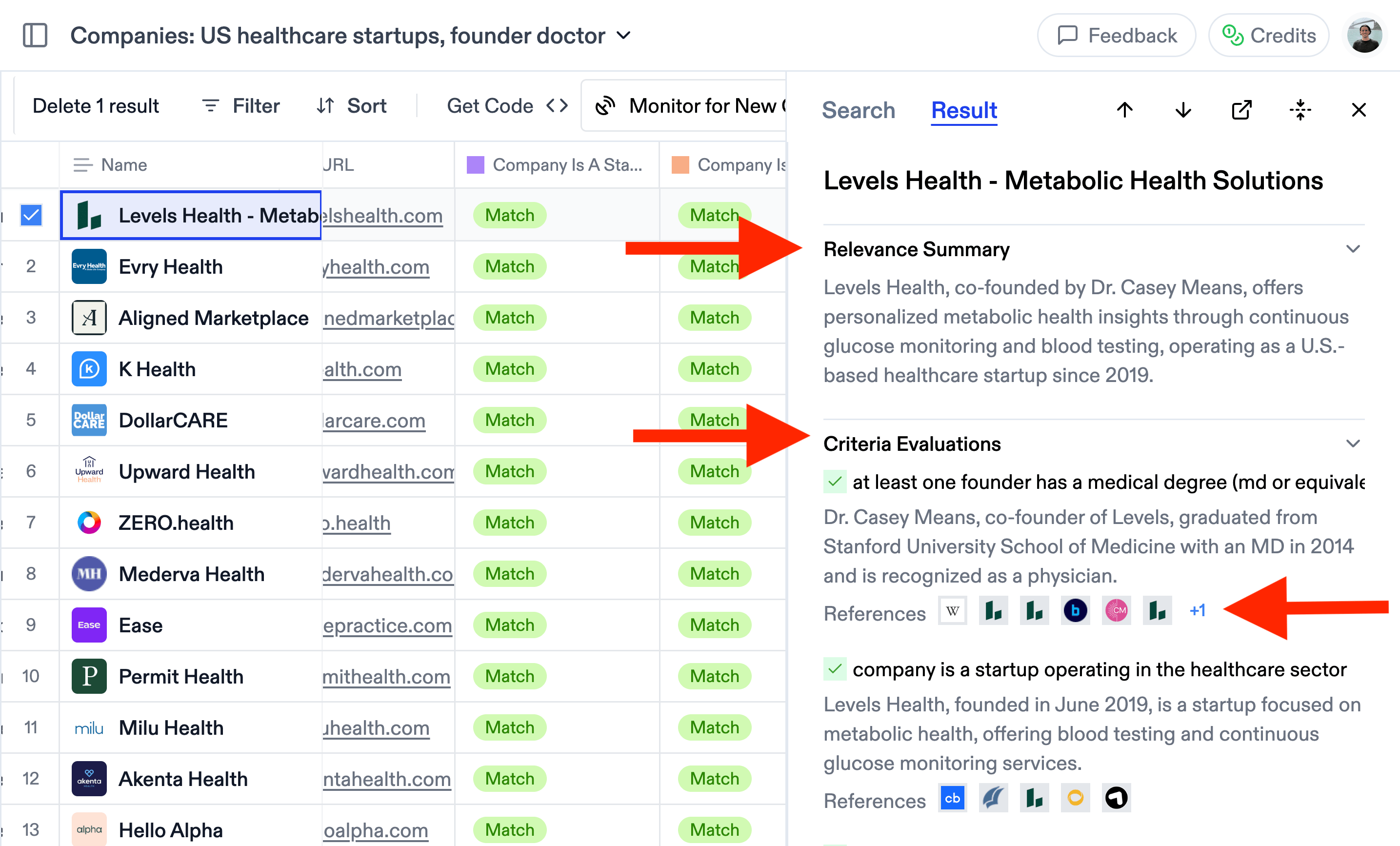
The first is Exa, and it’s the easiest place to start. Exa is a search engine built for finding things about companies.
You type a request in plain English, such as “news about these 30 companies: new hires, new products, funding”. Exa searches the web and gives you a table of results.
Then you switch on a Monitor, and it keeps checking for you and adds anything new to the table as it happens. You don’t write any code. You just type what you’re looking for.
FIRECRAWL
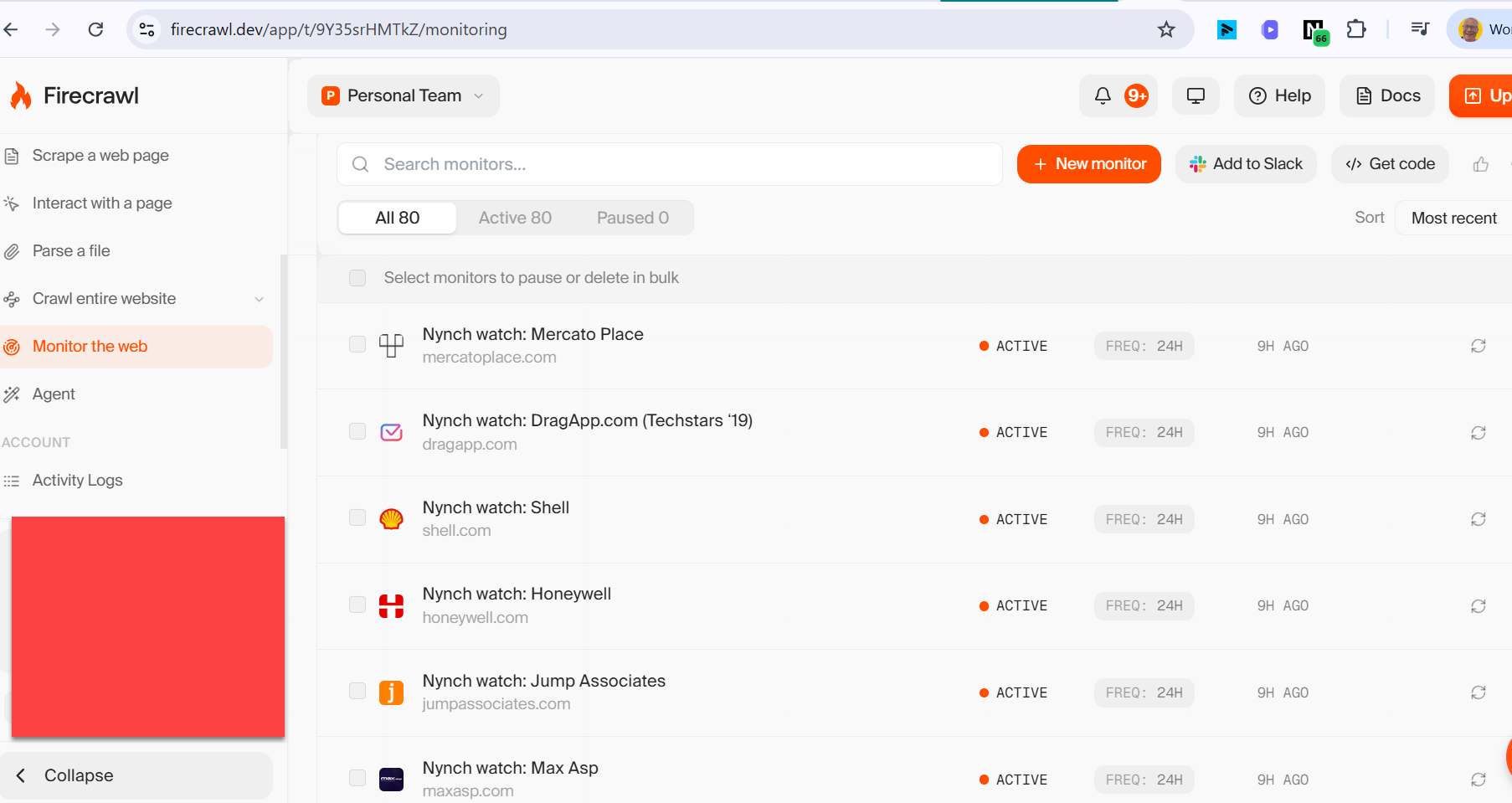
The second is Firecrawl, and it’s better if you have someone alittle technical to help but can be done by a non techie. Firecrawl reads websites the way a person would, page by page.
Its Monitor feature watches the exact pages you choose, such as a company’s careers page or its “our team” page. Every time it checks, it compares today’s version with yesterday’s. When something changes, it sends you an email.
The clever part is that it uses AI to ignore meaningless changes, like a new date in the footer, so you only hear about the things that matter.
Here’s how to put both to work.
Start with a short list. Pick 20 to 50 companies you’d genuinely love to win. Quality matters more than quantity here.
Choose what to watch. Four things tell you almost everything:
Job adverts show where a company is spending money next.
A new director or senior leader usually means a new plan and a new budget.
News and press releases show what they want the world to know.
A new product or service shows their next priority.
Switch on the alerts. Set the tool to check once a day. That’s plenty
.
Act the same day.
This is where most people fall down. An alert that sits in your inbox for a week is worthless.
When one arrives, get in touch and mention exactly what changed. Don’t write “congrats on the growth”
Write “I saw you’ve just opened a RevOps role. Usually that means the pipeline data is getting messy. Here’s how we’ve handled that for others.”
That’s it. No big software purchase, no new team.
Picture what this does to your business development. You stop guessing when to reach out and start responding to something that just happened.
You’re first, not fifth. And your message is obviously relevant, because it’s about something they did this week.
That’s the difference between cold outreach and a well-timed conversation.
Ohh… I almost forgot. You do appreciate that you don’t just monitor their websites? You can monitor any website for virtually free.
If you’d rather not build this yourself, Nynch [my CRM built for consultants and fractionals] does all of it for you: the monitoring, the alerts and a lot more. And yes. these are 2 of the hundreds of tech vendors we pull in.
Company Monitor In Nynch
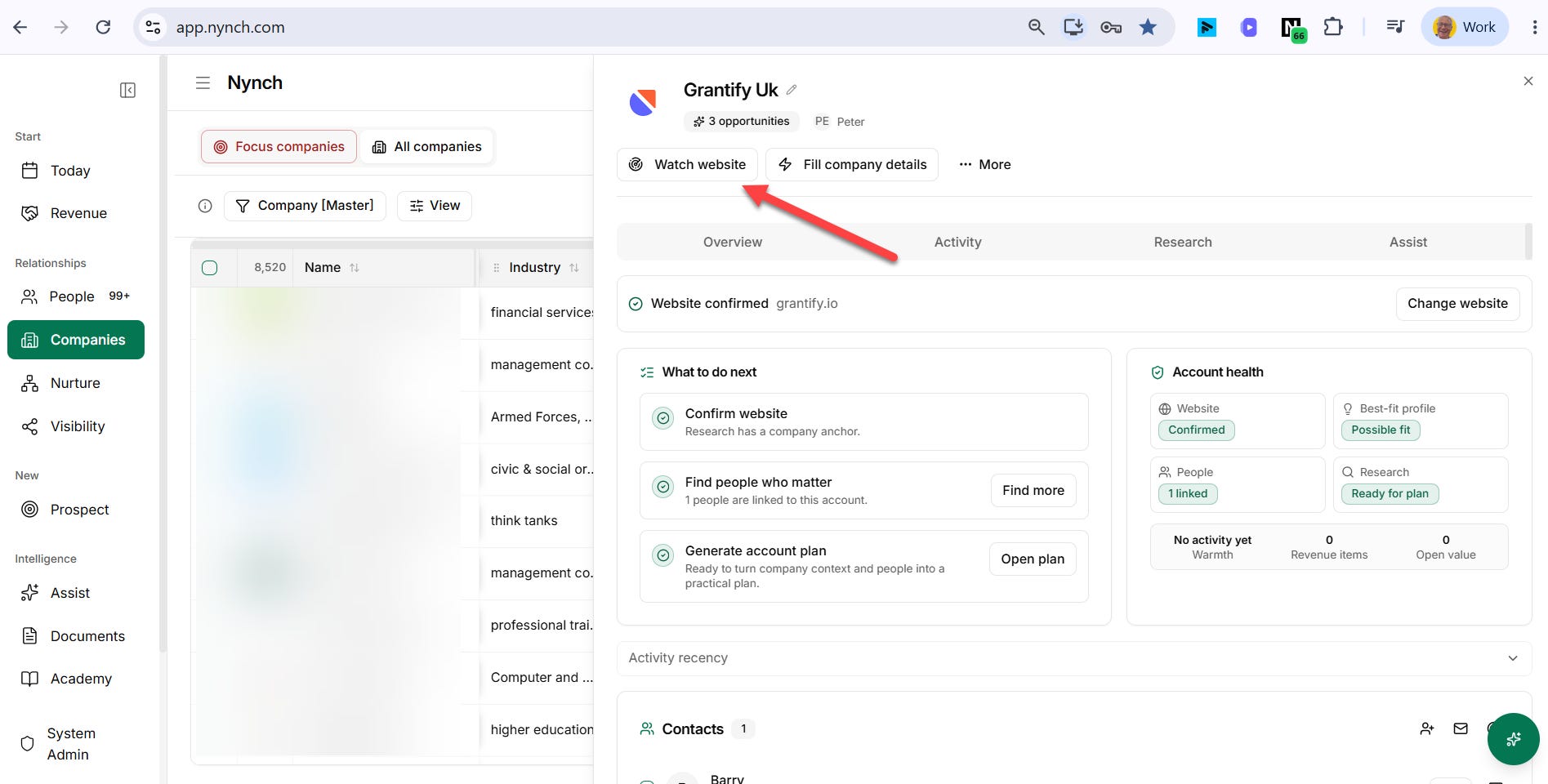
Click one button and it’s done for you.
Either way, set it up this week. The next trigger event at your dream account is going to happen whether you’re watching it or not.
If you want to shortcut time to revenue on tactics like this you can:
Talk to me about being an early adopter of Nynch
I’m currently opening spots for 1 to 1 work with me where we build out your Business Dev’t process together. This is for you if you want to add an additional £100K in revenue and will commit to do the work to get it. Reach out here